DevOps like a Pro - toolchain
- Filip Honckiewicz
- Dev ops , Tooling
- April 2, 2026
Table of Contents
DevOps toolchain
Every professional pays special attention to the tools they use. It does not matter if you are a musician, surgeon, or chef; the tools you use have a significant impact on your performance and the quality of the output. Imagine a pianist trying to play a concert on an out-of-tune piano. It would be a dubious pleasure for both the musician and the audience. Or imagine a sushi master trying to cut fish with a dull knife when preparing sushi rolls. Embarrassing!
So we understand the importance of using high-quality tools, but this is not enough to achieve success. We should also not forget about using the right tools for the task! (If you only have a hammer, you will treat everything like a nail—see the Law of the instrument).
Summing it up, there are four key aspects of using tools effectively:
- Using high-quality tools
- Knowing how to use them
- Maintaining them properly
- Using the right tool for the job
Below, I present a list of tools that should make you more productive and efficient.
Terminal Multiplexer
The limitations of using only one terminal appear quickly. The more tasks you do at once (checking logs, monitoring server resource usage, running background scripts, committing code changes to the repository, etc.), the more terminals you need. If you are using a desktop environment with a graphical user interface, you can create a new terminal window or tab. But very often, you will work by connecting through SSH or using bastions, and at some point, you will want a similar experience without a graphical user interface. This is what terminal multiplexers offer.
tmux
This is my choice when it comes to terminal multiplexers. I must admit that the initial learning can be annoying (configuration and remembering shortcuts), but when you get used to it, you will be amazed by its capabilities.
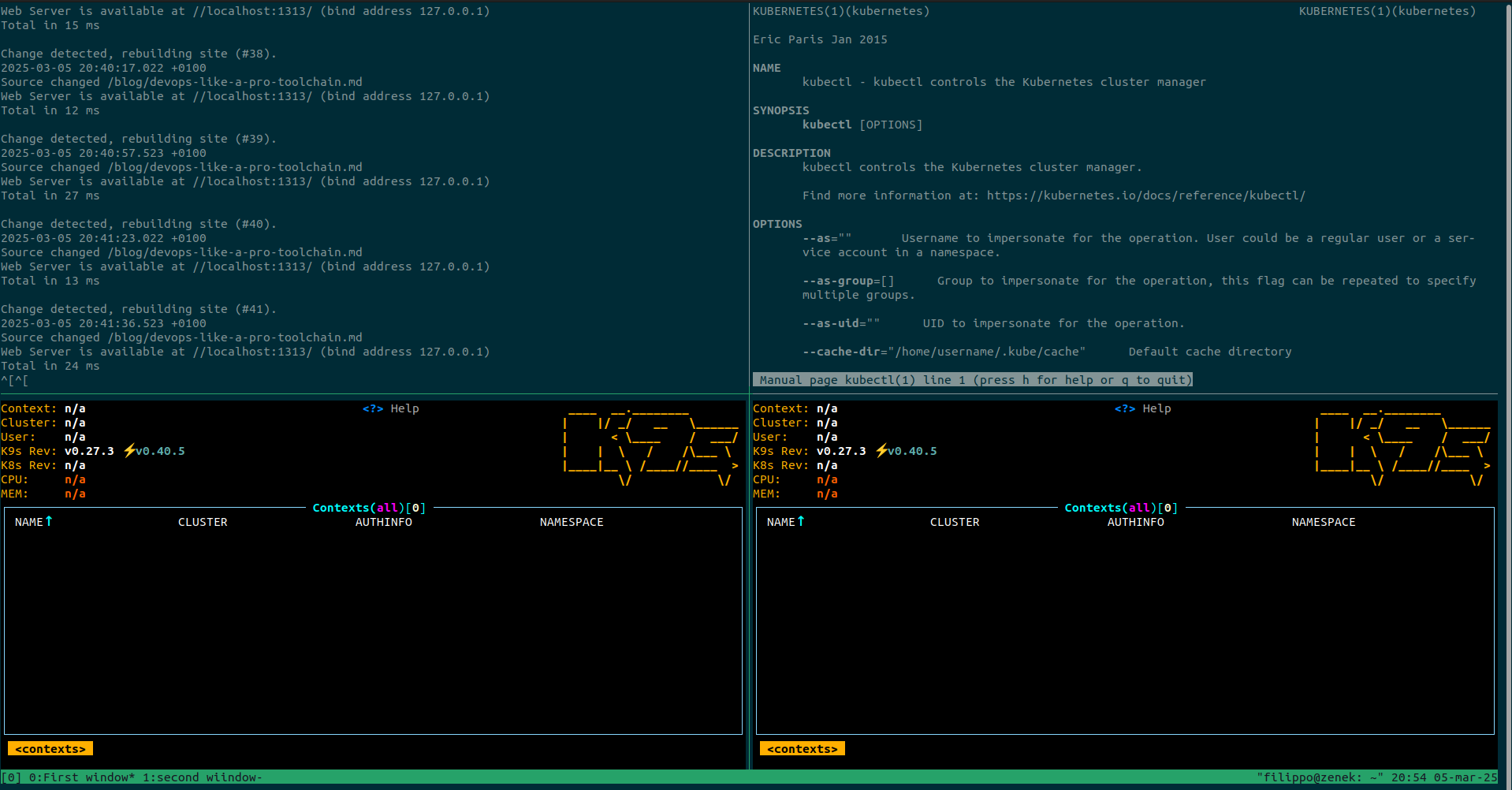
Try tmux. Alternatively, you can use its older brother - GNU Screen.
Scripting
Bash
Basic knowledge of Bash scripting is necessary.
GNU Make
It may not be very intuitive at first sight as GNU Make was created to help automate program compilation; however, GNU Make can be very helpful for automating other tasks. It can be used to create a single (and simple!) entrypoint for invoking the most important commands in a project.
lint:
    pre-commit run -a

tests:
    pytest tests/

run:
    fastapi dev main.py

run-dependencies:
    docker-compose up

docker-build:
    docker build -t application-image .

deploy:
    terraform apply
With a simple Makefile defined as above, we can create an entrypoint for the most common tasks in the project. Later,
developers/devops can run make lint for static analysis, code formatting, etc., make tests for executing
unit tests, or make deploy to execute terraform apply. This approach simplifies the flow and does not require
engineers to remember every parameter and flag. It can also be reused in the CI/CD pipeline configuration.
Just
Just is an alternative to GNU Make when it comes to executing commands. As GNU Make was created to help with compilation, it has assumptions and behaviors related to code compilation… which can sometimes be tricky. Just was created from the beginning as a command runner, so the configuration should be less ambiguous.
Infrastructure as Code
Terraform
Currently, the standard tool for writing Infrastructure as Code. Of course, you can use AWS CloudFormation for defining AWS resources or Bicep for defining Azure resources, but why not use a tool that allows you to create resources for all major cloud providers and more (like Kubernetes configuration)?
tfenv
A very useful tool, especially when you are working on multiple projects or migrating a project to a newer version of Terraform. tfenv allows you to manage multiple Terraform versions and define them per project.
tfenv 3.0.0
Usage: tfenv <command> [<options>]

Commands:
   install       Install a specific version of Terraform
   use           Switch a version to use
   uninstall     Uninstall a specific version of Terraform
   list          List all installed versions
   list-remote   List all installable versions
   version-name  Print current version
   init          Update environment to use tfenv correctly.
   pin           Write the current active version to ./.terraform-version
Kubernetes
kubectl
The basic command-line tool for managing Kubernetes clusters.
k9s
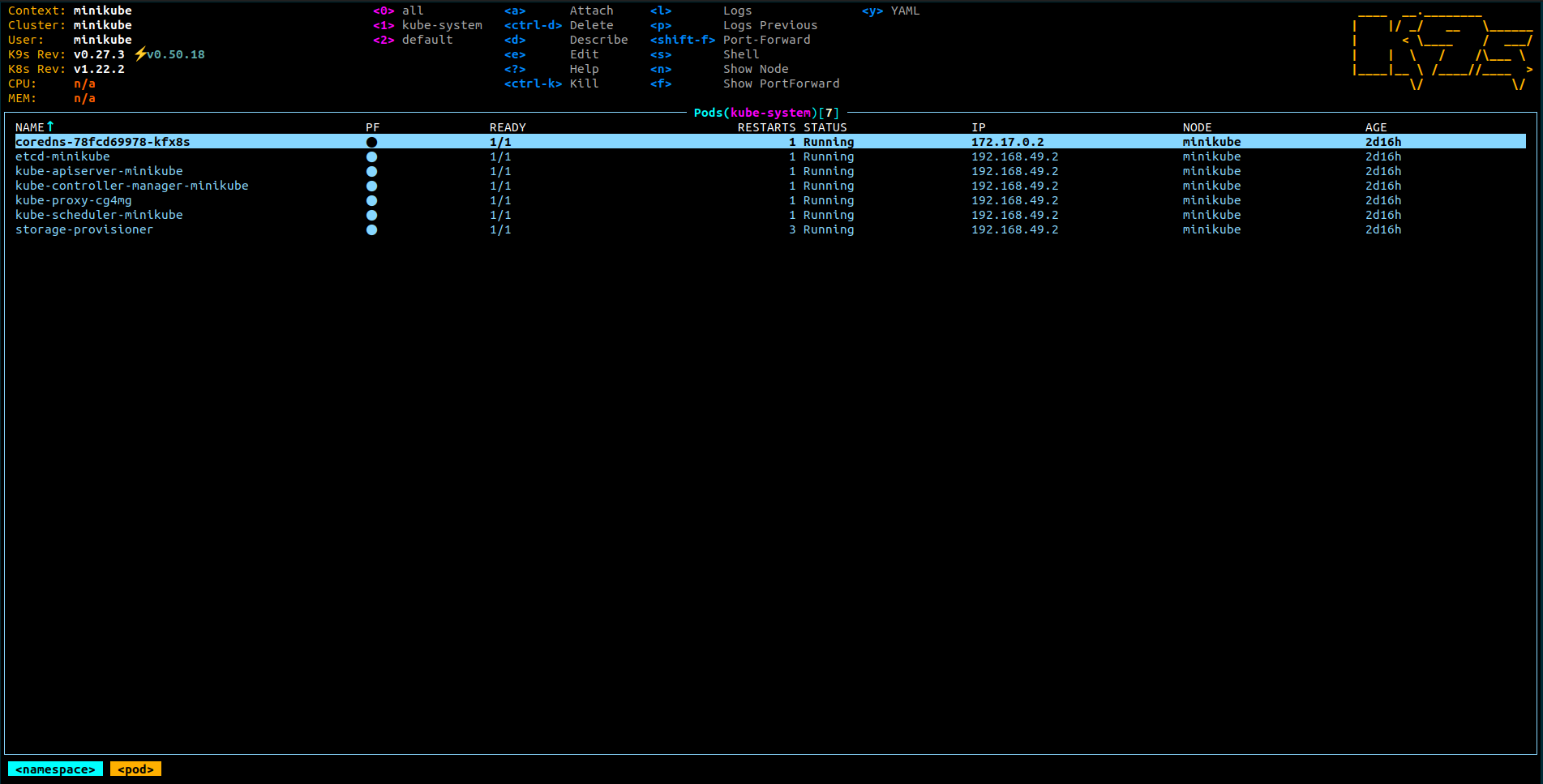
One of my favorite and most frequently used applications when working with Kubernetes. k9s is a terminal-based program providing a simple yet powerful UI for managing Kubernetes clusters. While managing Pods and Services or visualizing resources can sometimes be tough with kubectl, k9s makes it nicer and quicker.
Lens
For those who prefer a graphical user interface over a terminal-based application, Lens is another effective instrument for supporting Kubernetes management. It has a truly intuitive and readable interface. Attaching to Pod containers, reading logs, etc., is very comfortable using this tool.
kube-ps1
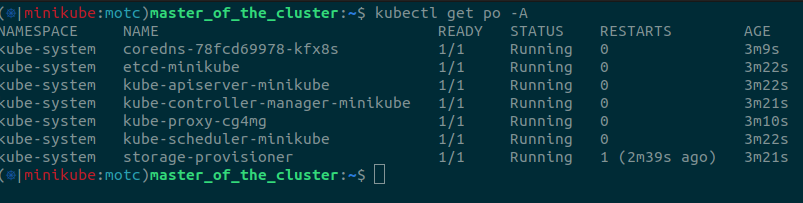
When you are dealing with multiple K8s clusters, you want to be sure that you have set the correct Kubernetes
context before you execute any resource-modifying command with, for example, kubectl. You can imagine situations
where you manually apply a YAML manifest file using kubectl apply -f my_manifest.yaml or, even more harmful,
run kubectl delete deployment my-deployment -A, but did not notice that your K8s context was set to
a production cluster instead of development!
Others
pre-commit
Pre-commit is a great utility that can improve your code quality. It is mainly used, as its name suggests, before committing to the repository, by running hooks responsible for linting, formatting, etc. However, it can be run anytime, and nothing prevents you from running it in your CI/CD pipeline (I highly recommend it). A big benefit of pre-commit is that it supports multiple languages and file formats. There are plenty of ready-to-use hooks—e.g., for Python linting, formatting, and security analysis. There are hooks for Terraform validation, formatting, linting, generating documentation, and many more. Frankly, there are hooks for all the major programming languages and file formats used nowadays. If you want to keep up with the times, you can also use prek—a Rust-based tool compatible with pre-commit.
PlantUML
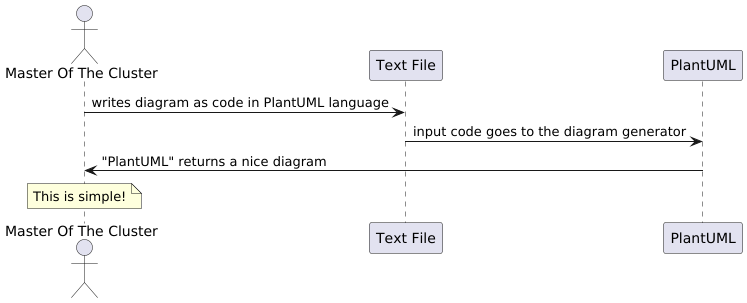
There are many ways to generate UML (and other) diagrams. As a software engineer, you want to have a history of modifications for your diagrams. Ideally, you would store them in your code repository and define your diagrams as code… in a simple and easy way. So do I! Try PlantUML to create diagrams through text files using an easy and quite intuitive notation, like the example below:
@startuml
actor "Master Of The Cluster" as MOTC
participant "Text File" as tf
participant "PlantUML" as puml

MOTC -> tf: writes diagram as code in PlantUML language
tf -> puml: input code goes to the diagram generator
puml -> MOTC: "PlantUML" returns a nice diagram

note over MOTC
    This is simple!
end note
@enduml
which generates the following diagram: